

A no-code AI agent builder lets teams create agents through visual workflows, prebuilt integrations, and plain-language instructions without writing orchestration code. This guide compares five tools, each suited to different operating patterns:
- Lindy supports trigger-based assistants for email, calendars, and CRM workflows.
- Relevance AI coordinates specialized agents that pass work across multiple stages.
- Stack AI provides a visual builder for enterprise internal tools and governed workflows.
- Gumloop combines structured automation with AI steps for marketing, spreadsheet, and operations work.
- Bardeen automates repetitive tasks across browser-based applications.
No-code builders reduce the engineering work required to launch an agent, but business-critical use cases require deeper visibility and stronger quality controls. Teams need traces to investigate failures, evaluations to measure output quality, and release requirements that prevent regressions from reaching production. Braintrust provides the evaluation and observability layer as agents move from early automation into production workflows.
What is a no-code AI agent builder?
No-code AI agent builders replace orchestration code with a visual interface. Users define the agent's task, connect tools such as Gmail, Slack, or a CRM, and configure the triggers that start each run. The builder manages the execution sequence, tool calls, and conditional logic behind the workflow.
No-code AI agent builders reduce the engineering work required to connect a language model with business systems. Building the same agent in code requires integrations, step logic, state management, retries, and error handling. Visual canvases, plain-language configuration, and prebuilt templates package those components into a workflow that operators and founders can launch without waiting for engineering support.
Speed is the main advantage, but control becomes more important as an agent takes on higher-stakes work. Customer-facing and revenue-related workflows require precise logic, detailed traces, and repeatable evaluations across real runs. Visual builders may provide configurable steps and run histories, while code gives teams greater control over execution, debugging, and failure handling. Teams that outgrow visual builders often move to a code-based agent framework.
No-code AI agent builders generally fall into three categories:
- Agent-first platforms focus on trigger-based personal and team assistants.
- Business agent platforms support multiple agents across broader processes.
- Automation-first platforms begin with structured workflows and add AI reasoning where a task requires it.
5 best no-code AI agent builders
1. Lindy
What it is: Lindy is a no-code platform for building agents that follow configured workflows, use connected tools, and act on defined instructions. Its visual editor combines triggers, actions, conditions, and agent steps, with integrations for email, calendars, Slack, CRMs, browser tasks, and voice calls.
Known for: Trigger-based assistants for recurring administrative work. Lindy centers on managing inboxes, meetings, and calendars, while its integrations extend the same workflow structure to CRM updates and other business applications.
Commonly used for: Email triage, meeting scheduling, follow-ups, CRM maintenance, and support workflows. Voice and browser capabilities also allow teams to handle phone-based tasks and actions inside web applications.
Worth noting: Lindy's documentation recommends using standard actions and conditions when the next step is predictable because agent steps consume more credits and may be less reliable. Teams should reserve autonomous decision-making for tasks where the correct sequence cannot be defined in advance.
2. Relevance AI
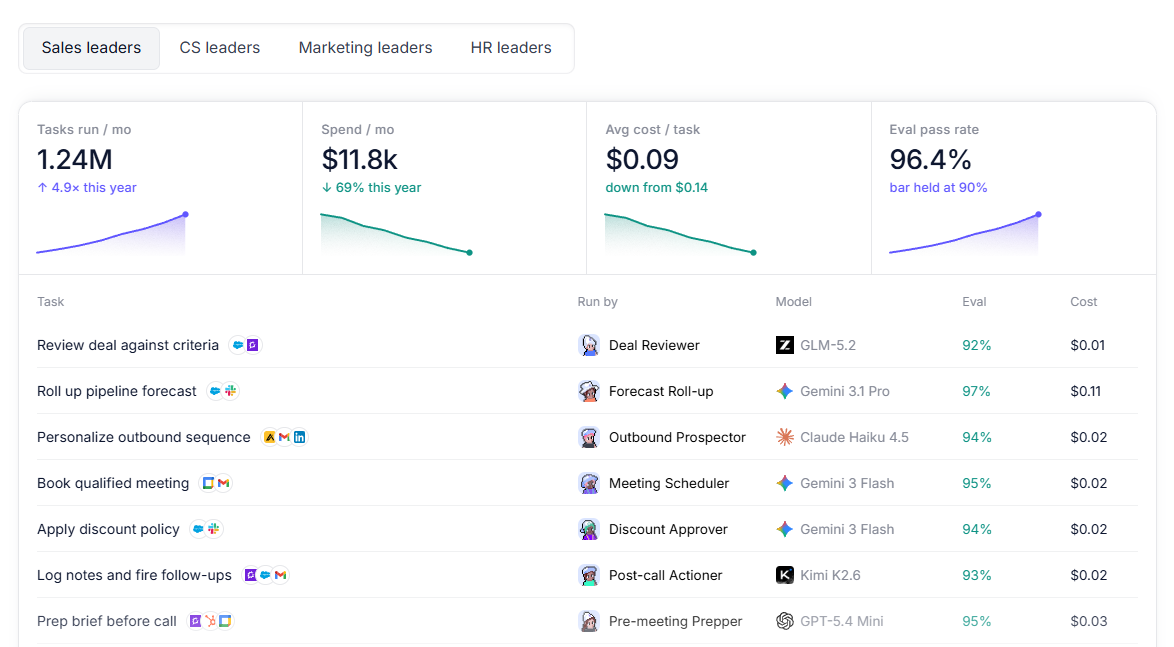
What it is: Relevance AI is a low-code and no-code platform for building individual agents and multi-agent teams. Each agent receives its own instructions and tools, while the Workforce canvas allows teams to connect and monitor specialized agents across a larger process.
Known for: Multi-agent workflows in which specialized agents collaborate, delegate tasks, and pass work across different stages. The visual Workforce canvas makes the relationships between agents explicit.
Commonly used for: Sales operations, customer support, research, qualification, and internal business processes that can be divided among agents with distinct responsibilities.
Worth noting: A Workforce is most useful when a process contains clear roles and handoffs. A narrowly scoped task may require only one agent, whereas adding multiple agents introduces more instructions, tool permissions, and coordination points to manage.
3. Stack AI
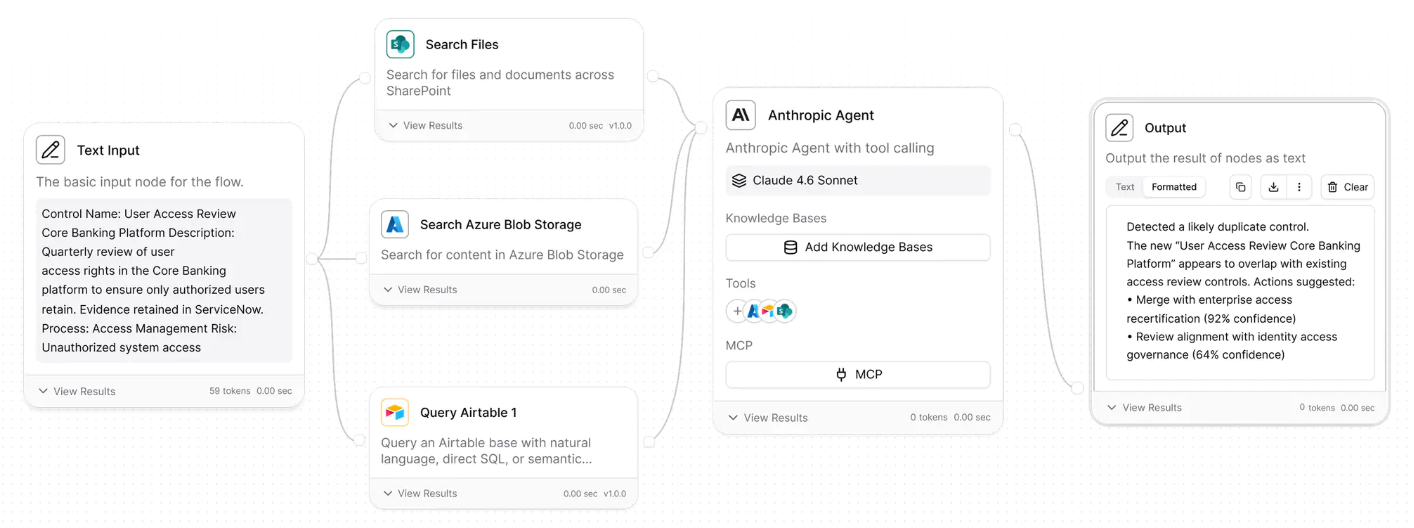
What it is: Stack AI is a no-code platform for building enterprise agents and workflows on a visual canvas. Teams can connect models, company data, and business applications, add human approval points, and deploy through multi-tenant, VPC, or on-premises environments.
Known for: Enterprise deployment and governance. Stack AI provides audit logs, feature controls, human oversight, model choice, and more than 100 enterprise integrations. Its published certifications include SOC 2 Type II and ISO 27001, with support for HIPAA and GDPR requirements.
Commonly used for: Internal agents and document-heavy workflows in organizations with complex security, access, or deployment requirements. Stack AI targets regulated operations across financial services, healthcare, government, and other enterprise environments.
Worth noting: Asana acquired Stack AI in May 2026. Stack AI continues to operate as its own product and brand, and the company states that existing workflows, integrations, VPC deployments, and on-premises deployments remain unchanged.
4. Gumloop
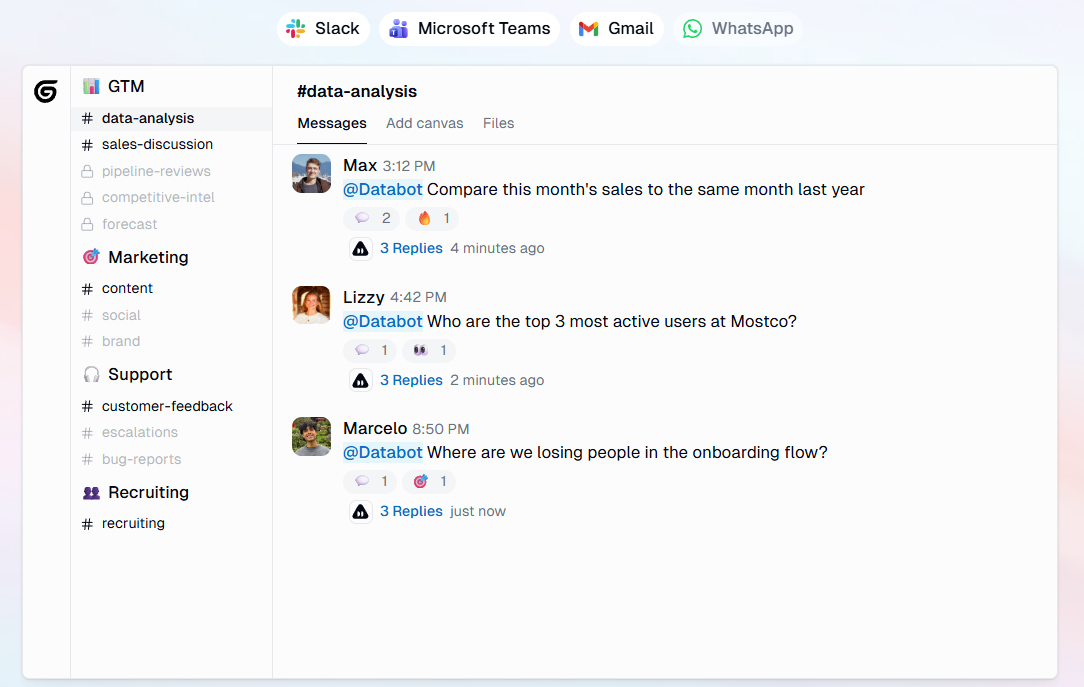
What it is: Gumloop is a visual platform for building both agents and automated workflows. Agents use connected tools to complete tasks, while workflows run those agents on a schedule, in bulk, or in response to events. The canvas includes more than 100 prebuilt nodes and integrations.
Known for: Combining agent decision-making with structured workflow steps. Teams can place an agent inside a defined automation, connect it to tools such as spreadsheets, and keep the surrounding data processing visible on the canvas.
Commonly used for: Spreadsheet processing, web research, marketing operations, data enrichment, reporting, and other workflows that combine repeatable steps with AI analysis.
Worth noting: Gumloop now treats agents and workflows as separate first-class concepts, so describing it only as an automation tool with an added agent layer understates the current product. The visual canvas remains central, which may provide less flexibility than a code-based environment for highly customized execution logic.
5. Bardeen
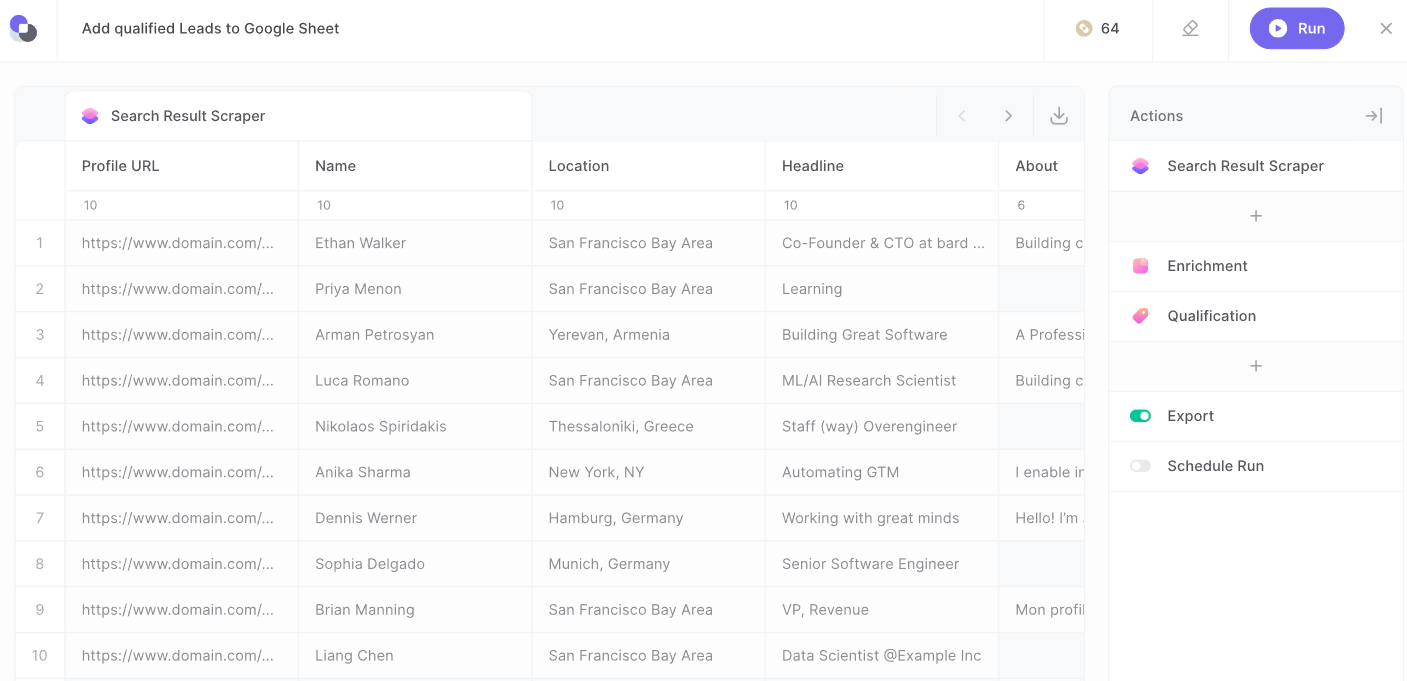
What it is: Bardeen is a no-code automation platform focused on web research and lead generation. It combines agentic web scraping, AI search, contact enrichment, lead qualification, and exports to tools such as Google Sheets, Airtable, Notion, and CSV.
Known for: Extracting structured information from websites. Users can configure browser agents to collect fields, lists, tables, and information from linked pages, then use AI to research or qualify the resulting records.
Commonly used for: Prospect research, lead sourcing, contact enrichment, recruiting, and other go-to-market workflows that depend on information spread across websites.
Worth noting: Bardeen has moved away from its earlier general-purpose Playbooks and Autobooks model. It is more narrowly focused on web data collection, enrichment, and go-to-market workflows, so it is less applicable to general internal agents across many business functions.
Honorable mention: n8n
For teams with more technical experience, n8n is a fair-code workflow automation platform that combines a visual canvas with AI Agent nodes, more than 500 integrations, and custom JavaScript or Python steps. Its Community Edition can be self-hosted at no software cost, although the team remains responsible for infrastructure and operations. The ability to add code and deploy to private infrastructure gives teams more control than a fully no-code builder does, while also requiring more technical ownership.
No-code AI agent builders compared
Choosing a no-code AI agent builder depends on the workflow, the people responsible for maintaining it, and the level of control required after deployment. Use the comparison below to narrow the shortlist before evaluating each product in depth.
| Characteristic | Lindy | Relevance AI | Stack AI | Gumloop | Bardeen |
|---|---|---|---|---|---|
| Assistant-style flows | Primary focus on trigger-based assistants for email, calendars, chat, and recurring work. | Individual agents can operate through chat, tools, and connected business applications. | Supports custom assistants and chatbots within enterprise workflows. | Tool-using agents can handle open-ended tasks independently or run within automated workflows. | Not a primary focus; centers on web research and go-to-market automation. |
| Multi-agent teams | Agents can communicate through Lindy-to-Lindy messages and coordinate multi-agent workflows. | A core capability, with a visual Workforce canvas for connecting specialized agents and managing handoffs. | Supports multi-agent orchestration within its visual workflow interface. | Agents can be placed inside workflows, but coordinated agent teams are not a primary focus. | Coordinated multi-agent teams are not part of the primary positioning. |
| Enterprise drag-and-drop | Provides a visual workflow builder, primarily positioned around assistants and business automation. | Provides a visual canvas for designing and monitoring agents, tools, triggers, and agent teams. | A core capability, combining a drag-and-drop canvas with governance, deployment controls, audit logs, and human approvals. | Provides a visual canvas for assembling node-based automations and agent workflows. | Provides a visual automation studio, primarily for web data and go-to-market workflows. |
| Automation breadth | Supports app actions, communication workflows, voice calls, browser tasks, triggers, and conditional steps. | Supports integrations, API calls, CRM updates, messaging, data processing, and web research through agent tools. | Supports enterprise workflows across more than 100 integrations, internal data sources, approval steps, and deployment formats. | Broad node-based automation covering scheduled, event-driven, bulk, data-processing, and agent-led workflows. | Concentrated on web research, scraping, enrichment, qualification, and exporting data to connected applications. |
| Web-task automation | Computer Use allows agents to interact with websites and applications that lack direct integrations or APIs. | Supports web search, website extraction, scraping, and browser interactions through connected tools. | Browser-use agents can navigate websites and complete browser-based tasks within broader workflows. | Browser Replay and scraping nodes support recorded web interactions, extraction, and repeatable browser tasks. | A core capability, with agentic scraping, page interaction, form input, pagination, and browser-based data extraction. |
Which no-code AI agent builder fits your use case
Match the builder to the workflow you need to automate. The use cases below show where each option is most relevant and when teams may need stronger evaluation and observability.
Personal or operations assistant: Lindy aligns with inbox triage, calendar management, meeting follow-up, and CRM updates. Its trigger-based setup supports recurring administrative work across email, calendars, and connected business applications.
Coordinated multi-agent process: Relevance AI fits workflows where specialized agents divide responsibilities and pass tasks through defined stages. The Workforce canvas maps each handoff visually, so owners can see where a task sits and which agent is responsible for it.
Enterprise internal tools: Stack AI aligns with organizations building agents on private data, meeting security, governance, and deployment requirements. Its visual environment combines drag-and-drop development with enterprise controls and deployment options for controlled environments.
Structured AI automation: Gumloop works well when the process follows a defined sequence, including spreadsheet processing, web research, enrichment, or reporting. Teams can place agent steps inside structured workflows while keeping the surrounding automation visible and configurable.
Browser-based research and data entry: Bardeen focuses on scraping websites, collecting prospect data, enriching records, and exporting results to connected tools. Results export directly to Google Sheets, Airtable, Notion, or CSV, keeping collected data within the tools go-to-market teams already use.
A no-code AI agent builder may remain sufficient for low-risk internal automation. Once an agent handles customer interactions, revenue operations, or compliance-sensitive work, teams need trace-level visibility and repeatable quality controls. Braintrust adds the evaluation and observability layers on top of whichever builder a team chooses. Agents send execution data to Braintrust, where teams inspect traces, score production runs, turn failures into evaluation datasets, and catch regressions before release.
Start free with Braintrust to evaluate production agents before regressions reach users.
FAQs: Best no-code AI agent builders in 2026
Should you build an AI agent with no-code or code?
Choose based on who will maintain the agent and how often its logic will change. No-code works well when operators need to adjust a defined workflow without engineering support. Code becomes the stronger option when the agent requires custom integrations, complex state management, strict testing, or release controls owned by an engineering team.
Can no-code AI agents go to production?
No-code agents can support production workflows when their permissions, failure paths, and approval requirements are clearly defined. Lower-risk tasks may run autonomously, while customer-facing or financially sensitive actions should include human review, limited access, and a reliable fallback when the agent cannot complete the task.
Where is the ceiling for no-code AI agents?
The ceiling usually appears when maintaining the agent becomes harder than building the first version. Frequent exceptions, complex branching, limited test coverage, and changes that cannot be reviewed through a standard development process often signal that the workflow needs a code-based implementation or additional evaluation infrastructure.
How do you make a business-critical AI agent reliable?
Define acceptable behavior, test the agent on representative cases, and incorporate evaluation results into the release process. Braintrust supports each step with side-by-side experiment comparisons, built-in and custom scorers, and CI checks that block regressions before deployment.
What is the best no-code tool to build an AI agent?
The best choice is the product that matches the agent's execution environment and operating requirements. Evaluate where the work happens, which applications the agent must access, whether multiple agents must coordinate, who will maintain the workflow, and what governance the organization requires before selecting a builder.